

The Data You Didn't Know You Were Giving Away
Most Americans are aware that the internet involves some degree of data collection. But the gap between what people think is being collected and what actually is tends to be surprisingly wide. The mechanisms are often invisible — operating in the background of apps you use daily, embedded in files you share casually, or built into hardware sitting on your kitchen counter.
This isn't about paranoia. It's about understanding which everyday digital habits create exposure so you can make more deliberate choices. The list below covers some of the most common — and least obvious — ways personal information moves from your life into data pipelines you never explicitly signed up for.
For a broader look at what's actually true versus assumed about online privacy, see our myth-busting guide to online privacy.
App permissions that go beyond the app's purpose
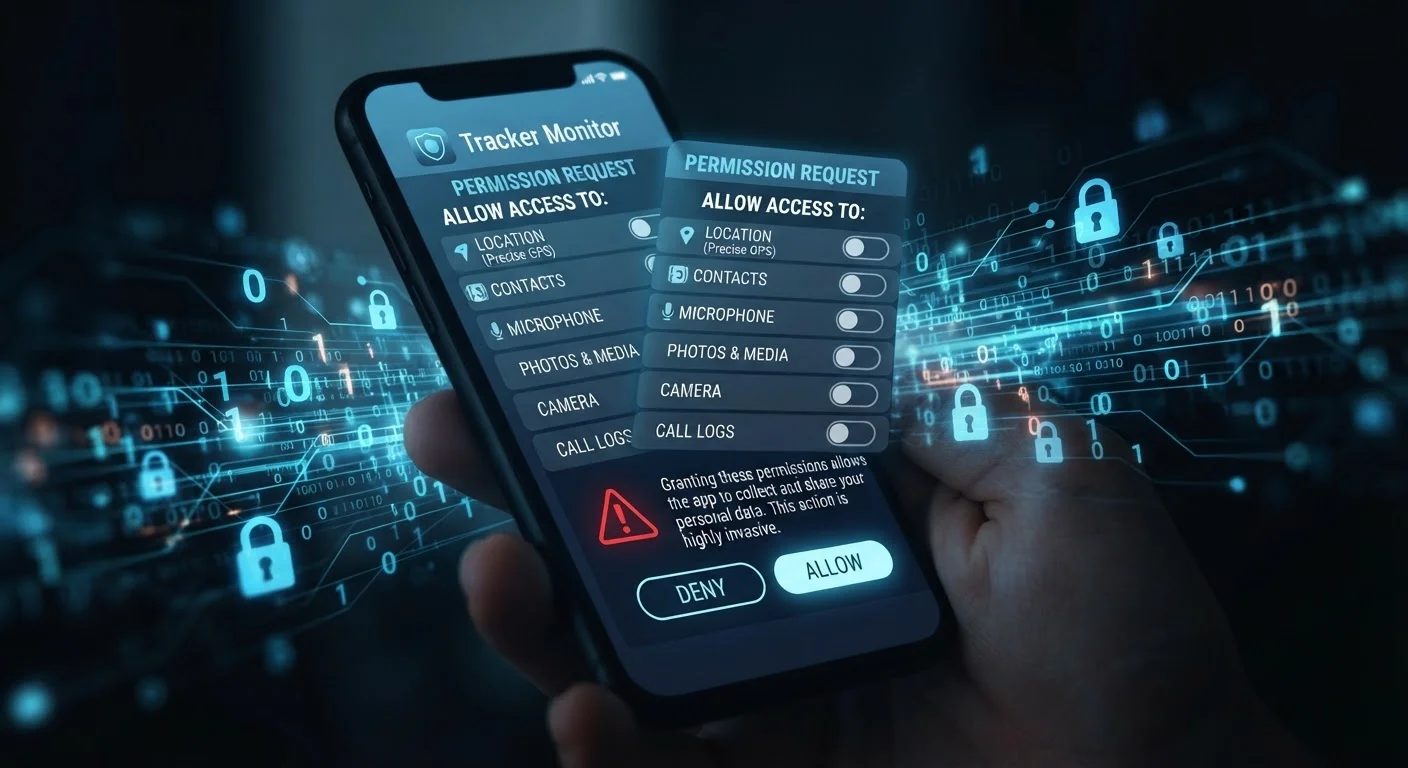
When you install an app — a flashlight utility, a simple game, a recipe tool — it often requests access to your contacts, microphone, camera, or precise location. These permissions may be required for legitimate features, but they're frequently broader than necessary. Once granted, that access can persist indefinitely and, depending on the app's privacy policy, the data collected may be shared with advertising partners or data brokers.
On both Android and iPhone, you can review and revoke app permissions at any time through your device's Settings menu. Default smartphone privacy settings are often more permissive than users expect — reviewing them periodically is one of the most direct actions you can take.
App permissions, once granted, can persist indefinitely and feed data to third parties you've never heard of.
Photo metadata (EXIF data) embedded in your images
Every photo taken on a smartphone contains more than a visual image. Embedded within the file is EXIF data — metadata that typically includes the date and time the photo was taken, the device model, and, if location services were enabled, the precise GPS coordinates of where you were standing.
When you share photos on social media, via email, or through messaging apps, this metadata may travel with the file. Some platforms strip it automatically; others don't. If you regularly share images publicly or with people you don't know well, reviewing whether your camera app records location data is worth a few minutes of attention.
A single shared photo can silently disclose your GPS coordinates, device model, and the exact time you were somewhere.
Browser fingerprinting — tracking without cookies
Most people have heard of browser cookies and know they can be cleared. Fewer are familiar with browser fingerprinting — a technique that identifies your device based on its unique combination of characteristics: screen resolution, installed fonts, browser version, operating system, time zone, and even how your graphics hardware renders certain visual tests.
Because fingerprinting doesn't require storing anything on your device, clearing your cookies or using private browsing mode does little to prevent it. Websites and ad networks use fingerprinting to track users across sessions. Privacy-focused browsers and certain extensions can reduce — though rarely eliminate — this form of tracking.
Browser fingerprinting identifies you through your device's unique technical traits, making cookie-clearing largely ineffective against it.
Free apps funded by your behavioral data
The economic model behind many free apps is straightforward: the app is the product, and your data is the revenue. Usage patterns, in-app behavior, purchase history, and demographic inferences are packaged and sold to advertisers or data brokers. This doesn't mean all free apps are harmful, but it does mean the trade-off is real.
Understanding what you typically gain and give up between free and paid app versions can help you make more informed decisions about which apps warrant paying for a privacy-respecting alternative.
When an app is free, data about how you use it is often what pays for its development and maintenance.
Smart home devices and ambient data collection
Smart speakers, connected thermostats, video doorbells, and similar devices are always-on by design. While manufacturers describe strict conditions under which audio or video is recorded, the reality is more nuanced. Wake-word detection systems process ambient sound continuously to listen for trigger phrases, and some devices have been documented capturing audio during accidental activations.
Beyond audio, usage patterns — when lights turn on, when you're home, what temperature you prefer — create a detailed behavioral profile. Common assumptions about smart speaker privacy are worth reexamining with the actual technical behavior of these devices in mind.
Smart home devices log behavioral patterns — occupancy, routines, preferences — that build a detailed picture of your daily life.
Public Wi-Fi and network-level exposure
Connecting to an open Wi-Fi network — at a coffee shop, airport, or hotel — can expose unencrypted traffic to anyone on the same network. While widespread adoption of HTTPS has reduced some risks, network-level monitoring can still reveal which sites you visit, and rogue hotspots can be set up specifically to intercept connections.
The risk isn't uniform across all activities. Checking headlines carries very different exposure than logging into financial accounts. Understanding which activities are genuinely risky on public Wi-Fi helps you calibrate precautions — like using a VPN — to situations where they actually matter.
Not all public Wi-Fi risks are equal, but logging into sensitive accounts on open networks remains genuinely inadvisable.
Taking Back Some Control
You don't need to be a cybersecurity expert to meaningfully reduce your digital footprint. Small, deliberate habit changes — reviewing permissions, understanding what metadata your files carry, and being selective about which apps get which access — add up quickly.
Start with a permission audit
Set aside ten minutes to open your phone's Settings app and review which apps have access to your location, microphone, camera, and contacts. Revoke any permissions that seem unnecessary for the app's core function. On both iPhone and Android, you can set location access to 'While Using' rather than 'Always' for most apps — a simple change that meaningfully limits passive tracking.
If you want a structured approach, a monthly digital security audit can turn these checks into routine maintenance rather than a one-time fix. And if you want to go deeper on social platforms specifically, understanding how social media privacy settings actually work will show you exactly where those controls begin and end.
This article is for general informational purposes only. It does not constitute legal or professional privacy advice. Data practices vary by app, platform, jurisdiction, and time; readers should consult relevant privacy policies and, where appropriate, a qualified professional.
The content on this site is for informational purposes only and is not a substitute for professional advice. Always consult a qualified professional for guidance specific to your situation.