

Our Verdict
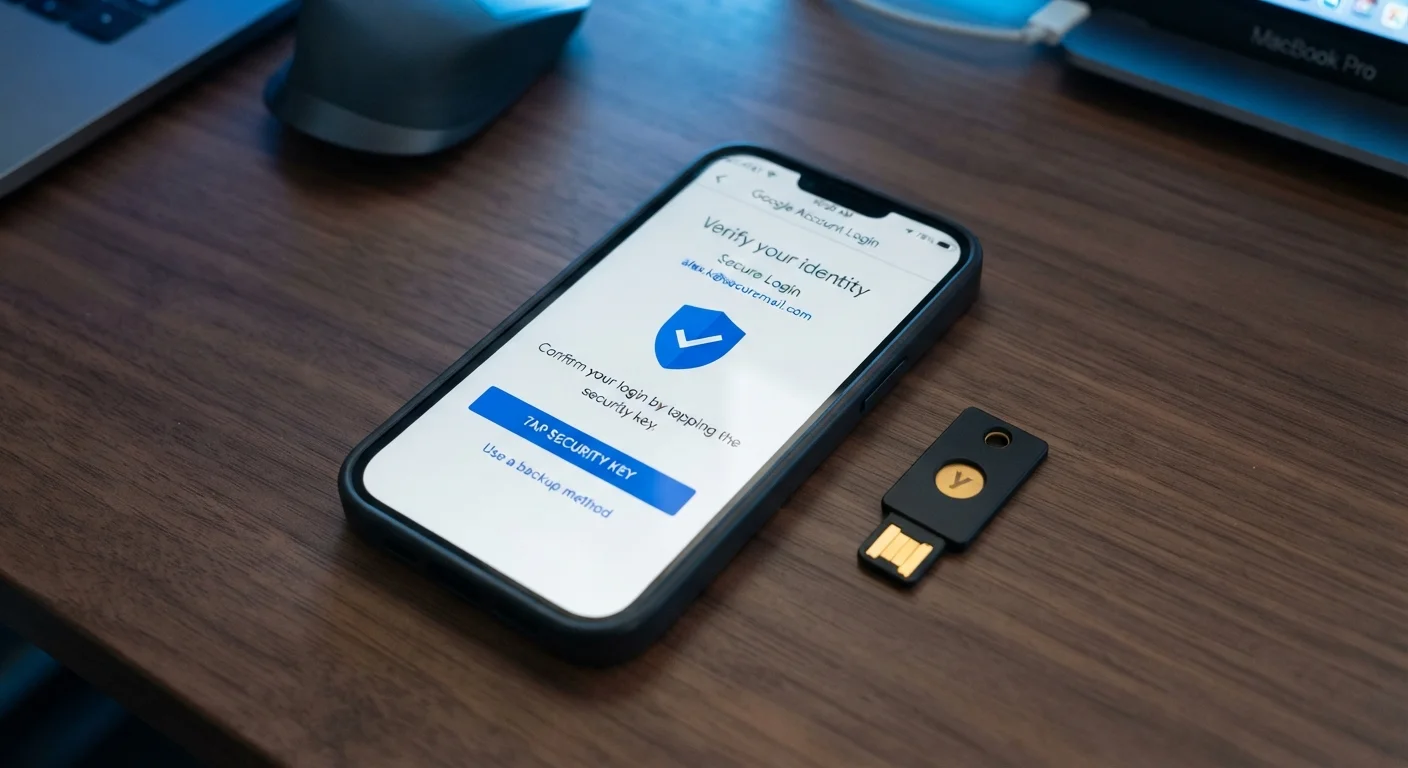
Hardware security keys lead on protection, but authenticator apps offer a strong balance of security and convenience for most users. SMS codes, while better than nothing, should be replaced wherever possible. Choosing a stronger method for your highest-value accounts — email, banking, primary social media — delivers the greatest real-world security benefit.
| Best for | Recommended |
|---|---|
| Everyday users protecting email and social accounts | Authenticator App |
| High-risk individuals or those managing sensitive data | Hardware Security Key |
| Users with no smartphone or limited tech access | SMS / Voice Code |
| Accounts on platforms that offer it as a backup layer | Passkey / Device Biometric |
Why 2FA Method Choice Actually Matters
Two-factor authentication (2FA) adds a second verification step beyond your password — something you have or something you are, not just something you know. But that umbrella term covers methods with wildly different security profiles. Treating all 2FA as equivalent is a bit like assuming all locks provide equal protection.
Passwords alone are increasingly unreliable. Credential databases leak regularly, phishing campaigns are sophisticated, and password reuse is widespread. As our article on what password research actually supports explains, even well-intentioned password habits have real gaps. 2FA closes many of those gaps — but only if you choose a method strong enough to matter.
80%+
Of hacking-related breaches involve stolen credentials
According to Verizon's Data Breach Investigations Report, the vast majority of breaches exploit weak or compromised passwords — underlining why a second factor matters.
~50%
Of US adults use some form of 2FA
Security industry surveys suggest roughly half of American internet users have enabled 2FA on at least one account, though far fewer use it consistently across accounts.
The Four Main 2FA Methods Compared
Here's how the most common authentication methods stack up across the criteria that matter most to real users.
| SMS / Voice Code | Authenticator App | Hardware Security Key | Passkey / Biometric | |
|---|---|---|---|---|
| Phishing resistance | None | Low–Moderate | Very High | High |
| SIM-swap vulnerability | High | None | None | None |
| Ease of setup | Very Easy | Easy | Moderate | Easy (on supported devices) |
| Works without internet | Requires cell signal | Yes | Yes | Yes |
| Cost | Free | Free | $25–$70 typically | Free (built-in) |
| Platform support | Very Wide | Wide | Growing | Limited but expanding |
| Risk if lost/stolen | Number hijack risk | Device theft risk | Key loss risk | Device theft risk |
SMS and Voice Codes
A one-time code is sent to your phone number via text or call. It's universal and requires no app, which is why it's still the default on many platforms. The core weakness: your phone number can be hijacked through SIM swapping — where an attacker convinces your carrier to transfer your number to their device. Once they control your number, they receive your codes. This attack is not theoretical; it has been used to drain bank accounts and crypto wallets.
Authenticator Apps
Apps such as those following the TOTP (Time-based One-Time Password) standard generate six-digit codes that refresh every 30 seconds, entirely offline. There's no SMS network to intercept and no carrier to social-engineer. The main risk is a well-crafted phishing site that tricks you into entering a code in real time — sometimes called a real-time phishing proxy attack. Still, authenticator apps represent a major security step up from SMS for most accounts.
Hardware Security Keys
Physical devices — typically plugged into a USB port or tapped via NFC — that cryptographically verify both your identity and the legitimacy of the website you're logging into. Because the key confirms the actual domain, phishing pages are defeated automatically: the key simply won't authenticate a fake site. This is the gold standard for high-value accounts. The tradeoff is cost and the risk of physical loss, though most services let you register a backup key.
Passkeys and Device Biometrics
A newer approach where your device (phone, laptop) handles authentication using built-in biometrics — face scan or fingerprint — tied to a cryptographic key stored securely on the device. Passkeys follow the FIDO2/WebAuthn standard and are phishing-resistant by design. Adoption is growing, but not all services support them yet. They represent the direction authentication is heading.
Choosing the Right Method for Your Situation
Security decisions involve tradeoffs. A hardware key is overkill for a streaming account but entirely reasonable for a work email with access to sensitive documents. A useful rule of thumb: match your authentication strength to the consequence of a breach.
Your Email Account Deserves the Strongest 2FA You Have
Your email address is the master key to your digital life — it receives password reset links for nearly every other account you own. If an attacker gains access to your email, they can chain into banking, social media, and work accounts rapidly. Prioritize your strongest available 2FA method here before anywhere else.
For accounts tied to financial access, your primary email (which controls password resets everywhere else), and work systems, prioritize authenticator apps at minimum — and consider hardware keys if the account is particularly sensitive. For lower-stakes accounts where SMS is the only option offered, enabling it is still worthwhile.
If you store credentials in a browser or dedicated manager, pairing that with strong 2FA closes a significant attack surface. See our comparison of password managers vs. browser-saved passwords for how those tools differ in security. And if you're securing a home network with smart devices, keeping smart home devices secure after setup covers how 2FA fits into a broader home security posture.
Practical Steps to Upgrade Your 2FA Today
Switching 2FA methods doesn't require doing everything at once. A targeted approach works well:
- Audit your highest-value accounts first — email, banking, and any account tied to financial or identity data.
- Check what 2FA options each service supports — look in security or account settings. Many platforms now support authenticator apps even if they don't advertise it prominently.
- Set up backup access — when switching to an authenticator app or hardware key, save recovery codes somewhere secure (printed, or in an encrypted note). Losing access to your second factor can lock you out permanently.
- Replace SMS 2FA where a stronger option exists — keep SMS only as a fallback on platforms that require it.
The goal isn't a perfect setup on day one. It's meaningful improvement on the accounts where a compromise would cause the most harm.
The content on this site is for informational purposes only and is not a substitute for professional advice. Always consult a qualified professional for guidance specific to your situation.