

Our Verdict
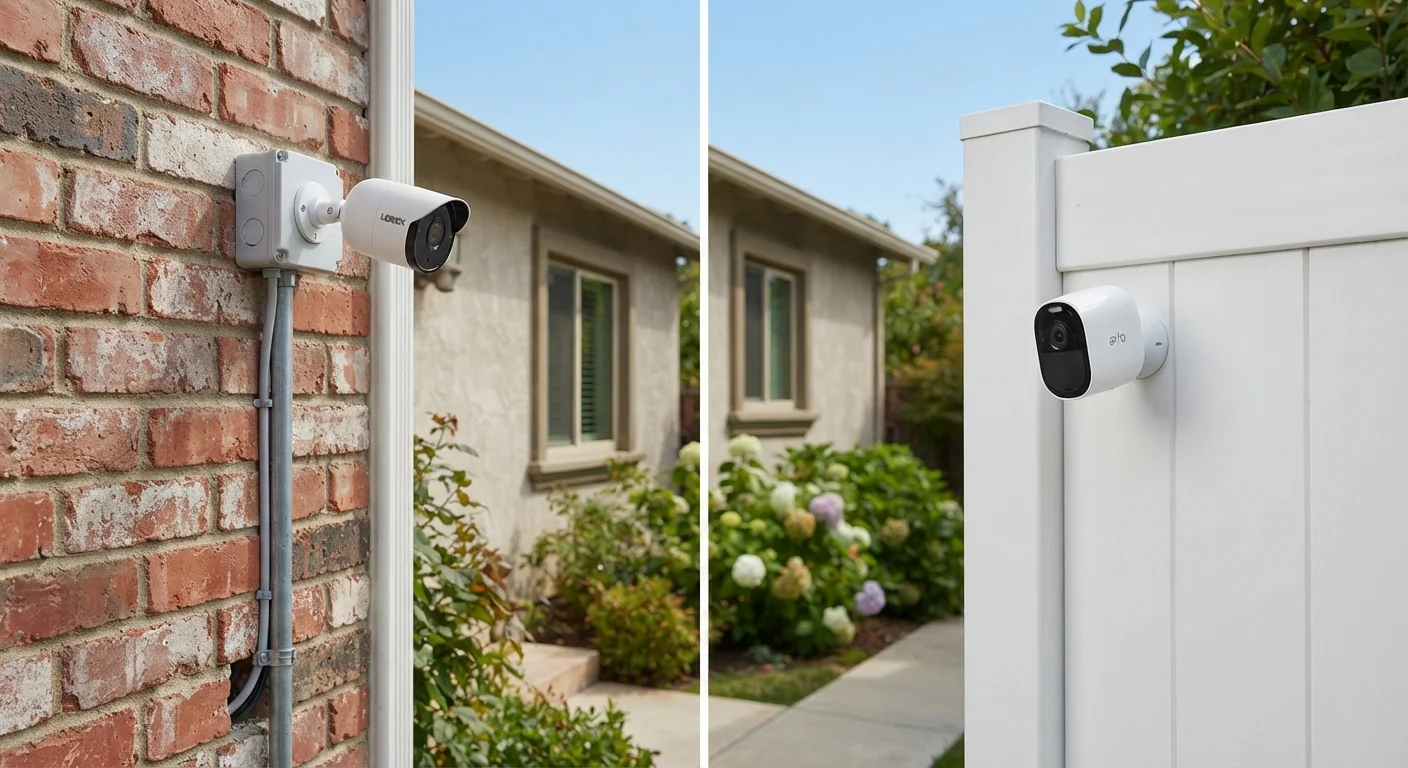
Wired cameras are the stronger choice for permanent installations where video reliability and continuous recording matter most. Wireless cameras excel in flexibility and ease of setup, particularly for renters or anyone unwilling to run cables through walls. Most households end up benefiting from a hybrid approach — hardwired cameras at key entry points and wireless units covering secondary areas.
| Best for | Recommended |
|---|---|
| Homeowners wanting maximum reliability and continuous recording | Wired (PoE or coaxial) |
| Renters or those needing portable, no-drill solutions | Wireless (battery or plug-in) |
| Large properties with coverage gaps or outbuildings | Wireless with cellular backup |
| Tech-savvy users building a full smart security ecosystem | Hybrid wired and wireless |
How Each System Gets Its Power and Signal
The most fundamental difference between wired and wireless security cameras is how they receive power and transmit footage — and that single distinction cascades into nearly every other trade-off you'll encounter.
Wired cameras typically connect via one of two methods: PoE (Power over Ethernet), which carries both data and electricity over a single Cat5e/Cat6 cable, or traditional coaxial cable paired with a separate power run. PoE systems connect to a network video recorder (NVR) and are increasingly common in modern residential installs. Coaxial setups use a digital video recorder (DVR) and are more common in older or analog-compatible systems.
Wireless cameras transmit footage over your home's Wi-Fi network and draw power either from built-in rechargeable batteries, plug-in AC adapters, or in some cases solar panels. Battery models offer true wire-free placement anywhere on your property. Plug-in wireless cameras still need an outlet nearby but skip the data cable entirely.
For a broader look at how these devices fit into a complete home security picture, see our overview of smart security hardware.
| Wired (PoE/Coaxial) | Wireless (Battery/Plug-in) | |
|---|---|---|
| Power source | Continuous via cable | Battery, AC outlet, or solar |
| Video reliability | High — stable wired bandwidth | Variable — depends on Wi-Fi strength |
| Installation complexity | High — cable routing required | Low — drill-and-mount or adhesive |
| Outage vulnerability | Lower with UPS backup | Higher — router loss cuts cloud access |
| Flexibility / portability | Fixed once installed | Easy to reposition or remove |
| Local recording | Yes — via NVR/DVR | Often microSD only; some lack it |
| Typical upfront cost | Higher (hardware + labor) | Lower to moderate |
Reliability, Video Quality, and Outage Vulnerability
Wired cameras have a decisive advantage in consistent performance. A PoE connection delivers stable bandwidth — typically enough to sustain 1080p or 4K streams without the compression artifacts and dropped frames that can affect Wi-Fi cameras during network congestion. There's no battery to monitor, no signal to lose, and local NVR recording continues even if your internet service goes down.
Wireless cameras are more vulnerable to interruptions. A router reboot, a Wi-Fi dead zone, or a power outage that kills your router will cut off a battery-powered camera's connection to cloud storage — meaning footage may not upload during exactly the moments you'd want it most. Some wireless systems address this with onboard microSD card storage as a fallback, which is worth confirming before purchase.
Power Outages Can Blind Wireless Systems
When the power goes out, your home router typically goes offline too — cutting off any wireless camera that relies on Wi-Fi to upload footage. Battery-powered cameras remain locally operational, but if cloud upload is your only storage method, that footage won't be saved. Consider cameras with onboard storage (microSD) or a cellular backup hub if continuous recording during outages is a priority.
Wi-Fi signal quality matters enormously for wireless cameras. A camera sitting at the edge of your network's range will produce choppy, pixelated video regardless of its sensor resolution. If your home has coverage gaps, improving your network infrastructure is a prerequisite — our article on Wi-Fi 6 and Wi-Fi 6E explains how newer standards can extend reliable coverage.
Installation: Effort, Cost, and Flexibility
Installation is often the deciding factor for consumers. Wired systems require routing cables from each camera location back to a central recorder — through exterior walls, attics, or crawl spaces. This typically means hiring an electrician or low-voltage installer, and costs can range from a few hundred to several thousand dollars depending on the number of cameras and home construction type. The payoff is a clean, permanent system with no ongoing battery swaps.
Wireless cameras can often be mounted in under an hour with a drill and a few screws. Battery models require zero cable work. This makes them the practical choice for renters — though it's worth reviewing any restrictions on exterior mounting before installation. Our guide on what renters and homeowners should know before installing video doorbells covers permission and placement considerations that apply equally to exterior cameras.
Repositioning is also far simpler with wireless cameras — a useful quality if you're renting, remodeling, or just not sure where coverage is most needed yet.
Start With a Coverage Map Before Buying
Walk your property and note every entry point, blind corner, and outbuilding you want covered. For each location, check whether a power outlet or Ethernet run is feasible — this single exercise often reveals a natural split between where wired cameras make sense and where wireless is the only practical option. It also prevents over-buying cameras you can't reliably power or connect.
Security Considerations Beyond the Camera Itself
Both camera types introduce cybersecurity considerations once they're connected to your network. Wireless cameras, because they rely on Wi-Fi, are subject to the same network-level risks as any connected device — weak passwords, unencrypted streams, and out-of-date firmware can all create vulnerabilities. Wired PoE cameras on a local NVR are technically less exposed to remote exploitation if the NVR isn't internet-facing, but that configuration requires more deliberate network setup.
Regardless of which type you choose, the fundamentals matter: change default login credentials immediately, enable automatic firmware updates where available, and consider placing cameras on a dedicated network segment. Our article on keeping smart home devices secure after setup walks through these habits in detail.
One often-overlooked concern with wireless cameras is cloud storage privacy — footage is transmitted to and stored on third-party servers. Review the provider's data retention, encryption, and access policies before committing to a cloud-dependent system.
The content on this site is for informational purposes only and is not a substitute for professional advice. Always consult a qualified professional for guidance specific to your situation.