

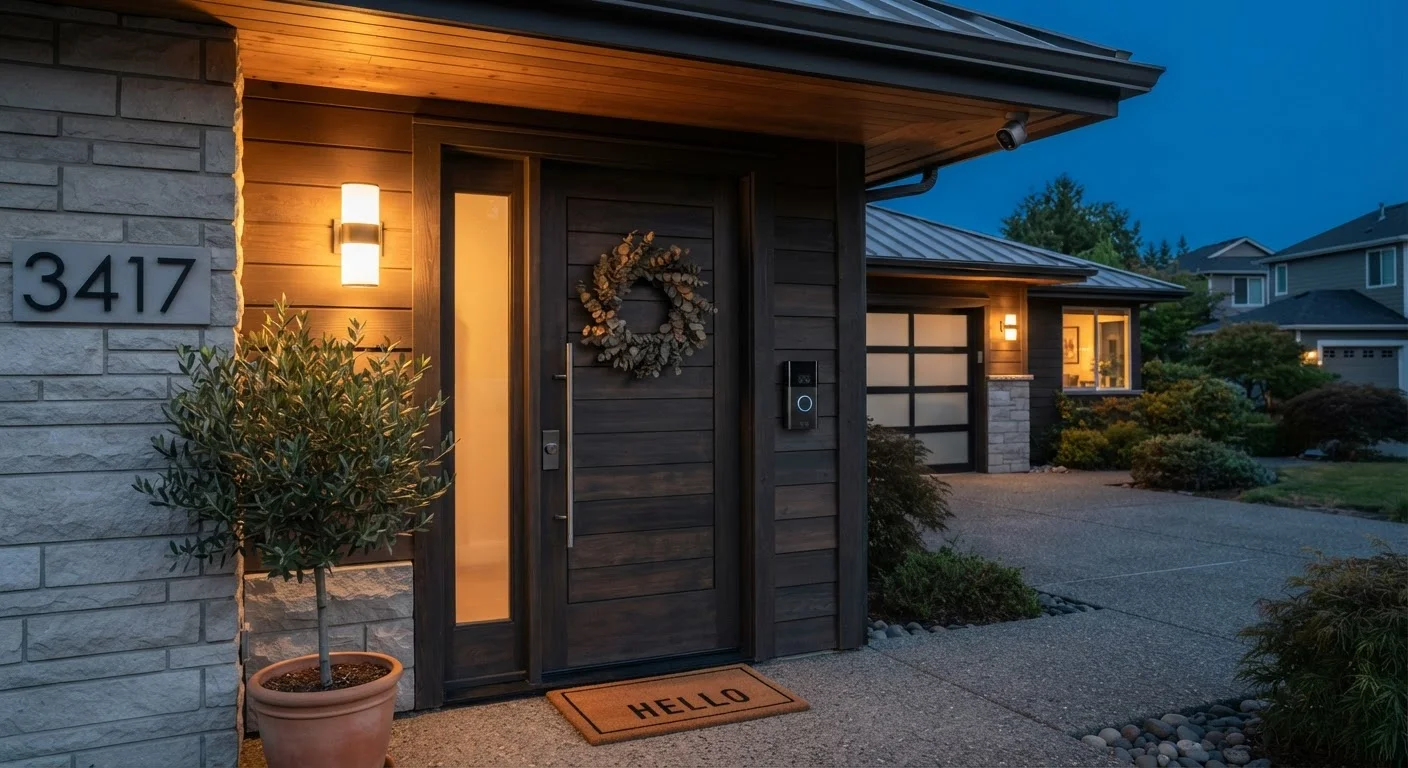
What Smart Home Security Actually Means
Smart home security refers to internet-connected devices that help you monitor, alert, and sometimes respond to activity in and around your home. Unlike traditional alarm systems that operate in isolation, smart devices send data to your smartphone, store footage in the cloud or locally, and can be integrated with other home tech.
At the core, these systems rely on your home's Wi-Fi network — or in some cases a dedicated hub using protocols like Zigbee or Z-Wave. Understanding how your devices communicate matters before you buy anything. See how smart home ecosystems connect your devices for a plain-language breakdown of these standards.
The three main hardware categories are cameras, video doorbells, and sensors. Most systems mix and match all three.
Cameras: Indoor vs. Outdoor and What to Look For
Security cameras fall into two broad categories: indoor and outdoor. Outdoor cameras must be weatherproof (look for an IP65 or higher rating, meaning dust-tight and protected against water jets). Indoor cameras prioritize wide viewing angles and low-light performance for dimly lit rooms.
Key specs that matter in practice
- Resolution: 1080p is the current baseline for readable footage; 2K or 4K improves detail when zooming in on faces or license plates.
- Field of view: 110–130 degrees covers most entry points without excessive distortion.
- Night vision: Infrared LEDs handle darkness adequately; color night vision uses a stronger sensor and captures color even in low light.
- Storage: Cameras store footage locally (on a microSD card or network-attached storage) or upload it to the cloud. Cloud plans typically require a monthly subscription.
~34%
US households with at least one smart security device
According to Parks Associates research, roughly one in three US broadband households has adopted a smart home security device.
1080p
Minimum recommended camera resolution
Security industry guidance consistently identifies 1080p full HD as the baseline for footage that is useful for identification purposes.
IP65
Minimum weather resistance rating for outdoor cameras
The IEC's IP (Ingress Protection) rating system defines IP65 as fully dust-tight and protected against low-pressure water jets from any direction.
If you have multiple cameras, a consistent ecosystem — one app, one subscription tier — simplifies management significantly. For help understanding networking terms that appear during setup, this home network glossary covers the basics in plain language.
Video Doorbells: More Than Just a Camera
A video doorbell combines a camera, microphone, speaker, and motion sensor into a single unit mounted at your front door. When someone approaches or presses the button, you receive a notification and can speak with the visitor through a two-way audio connection — whether you're in the next room or across the country.
Wired vs. battery-powered
Wired doorbells connect to your existing doorbell wiring (typically 16–24V AC). They never need charging and can support continuous recording. Battery-powered models are easier to install anywhere but require periodic recharging — typically every one to six months depending on activity levels and settings.
Set your doorbell's motion sensitivity zones to exclude the street and focus only on your porch or walkway. This alone can cut nuisance notifications by more than half.
Broad motion detection catches passing cars and pedestrians, creating alert fatigue that leads many users to disable notifications altogether — defeating the purpose of the device.
Place your router or a Wi-Fi access point within clear line-of-sight of any outdoor camera before you mount the camera permanently — check signal strength first with your phone.
Outdoor cameras are often installed at maximum Wi-Fi range. A weak signal causes stuttering video, failed uploads, and missed motion events precisely when reliability matters most.
Most video doorbells also offer package detection and person detection, using on-device or cloud-based AI to distinguish between a person, a vehicle, and general motion. This dramatically reduces nuisance alerts from passing cars or blowing leaves.
If you're uncertain about the wiring requirements, review the case for and against DIY electrical work before attempting installation yourself.
Sensors: Motion, Door/Window, and Environmental
Sensors are the often-overlooked backbone of a smart security setup. They detect events and trigger actions — alerting you, activating a camera recording, or sounding a siren.
Types of sensors
- Motion sensors
- Typically use passive infrared (PIR) technology to detect heat signatures moving through a space. Range and angle vary; position them to cover entry paths, not just open rooms.
- Door and window contact sensors
- Two magnetic pieces — one on the frame, one on the door or window — trigger an alert when separated. Inexpensive and reliable, these are often the first sensors people add.
- Environmental sensors
- Detect water leaks, smoke, carbon monoxide, or temperature extremes. For smoke and CO specifically, see what every household needs for smoke and CO protection.
Label Your Sensors After Pairing
Rename each sensor in your app immediately after setup using a descriptive label — 'Back Door,' 'Garage Window,' 'Basement.' Generic names like 'Sensor 4' are easy to mix up when you receive an alert at 2 a.m. and need to know exactly where to look.
Sensors communicate over Wi-Fi, Zigbee, Z-Wave, or a proprietary radio frequency depending on the ecosystem. Mixing sensors from different ecosystems can require additional hubs or may not be possible at all — confirm compatibility before purchasing.
Monitoring Options: DIY vs. Professional
Once your hardware is in place, you need to decide who responds when an alert fires.
Self-monitoring (DIY)
You receive push notifications on your phone and decide whether to investigate, call a neighbor, or contact emergency services yourself. There's no recurring fee beyond any cloud storage plan, and you retain full control. The limitation is response time — you may not see an alert immediately.
Professional monitoring
A monitoring center receives alerts from your system around the clock. If you don't confirm a false alarm, they contact you and, if necessary, dispatch emergency services. This adds a meaningful response layer but costs between roughly $10 and $30 per month depending on the service and coverage level.
Verify Local Emergency Dispatch Policies
Many municipalities have adopted policies around verified alarm response, meaning police may not dispatch for an unverified alarm — especially after repeated false alerts from an address. Ask your professional monitoring provider how they handle dispatch verification in your specific area before assuming emergency services will respond automatically.
Some systems let you toggle between self-monitoring and professional monitoring, which can be useful for periods when you know you'll be unreachable. Check whether your chosen system supports this flexibility before committing to a long-term monitoring contract.
Privacy, Data, and Legal Considerations
Smart security cameras record real-world activity, which creates genuine privacy and legal responsibilities that are easy to overlook during setup.
Recording laws vary by state
Audio recording laws are particularly varied across the US. Some states require all parties in a conversation to consent to being recorded; others require only one-party consent. If your doorbell or outdoor camera captures audio of conversations on a public sidewalk or a neighbor's property, you could be in legally ambiguous territory. Check your state's specific statutes or consult an attorney if uncertain.
Data storage and third-party access
When footage is stored in the cloud, it lives on the provider's servers. Review the privacy policy to understand who can access your footage, whether law enforcement requests are honored, and how long data is retained. Local storage gives you more direct control but means footage could be lost if a device is stolen or damaged.
Building good digital habits around all your connected devices is covered in our ground-up introduction to digital safety. For ongoing device hygiene after setup, see keeping smart home devices secure after setup.
“The camera on your porch only protects you if the data it captures is also protected. Physical security and digital security are two sides of the same coin for connected devices.”
— Bruce Schneier, Security technologist and author on cryptography and data privacy
Getting Started: Key Questions Before You Buy
Before purchasing any hardware, answer these questions to avoid costly mismatches:
- What's your internet speed and Wi-Fi coverage? Multiple cameras streaming simultaneously require solid bandwidth and a router that reaches every camera location. A mesh network often helps in larger homes.
- Do you rent or own? Renters should confirm with their landlord before drilling or replacing doorbell units. Battery-powered cameras with adhesive mounts are often renter-friendly.
- What ecosystem are you already in? If you own devices built around a particular voice assistant or hub, choosing compatible security hardware simplifies control and automation.
- What's your monitoring preference? Decide between DIY and professional monitoring before choosing a system — some hardware locks you into one approach.
- How much footage do you need to retain? Free cloud tiers usually offer only 24–72 hours of footage history. If you travel for a week and something happens on day two, you'll want a paid plan or local storage.
Don't Skip Firmware Updates
Smart security devices that run outdated firmware are vulnerable to known exploits, including unauthorized access to your camera feed. Enable automatic updates in your device's app settings, or check for updates manually every few months. A device that protects your home should not itself become an entry point for intruders.
If you already have smart thermostats or audio systems, a security layer integrates naturally with the rest of your home tech. See what smart thermostats actually deliver and how whole-home audio systems work for context on building a cohesive setup.
Digital Safety Foundations Guide
A ground-up introduction to online security habits that apply directly to managing smart home device accounts and app permissions.
Home Network Glossary
Plain-language definitions for networking terms — bandwidth, SSID, NAT, and more — that appear during smart security device setup.
Smart Home Ecosystems Explained
Understand how Matter, Zigbee, and Z-Wave work before buying hardware so your devices can actually communicate with each other.
Keeping Smart Home Devices Secure After Setup
Firmware updates, network segmentation, and password practices that keep your security devices from becoming security vulnerabilities.
The content on this site is for informational purposes only and is not a substitute for professional advice. Always consult a qualified professional for guidance specific to your situation.