

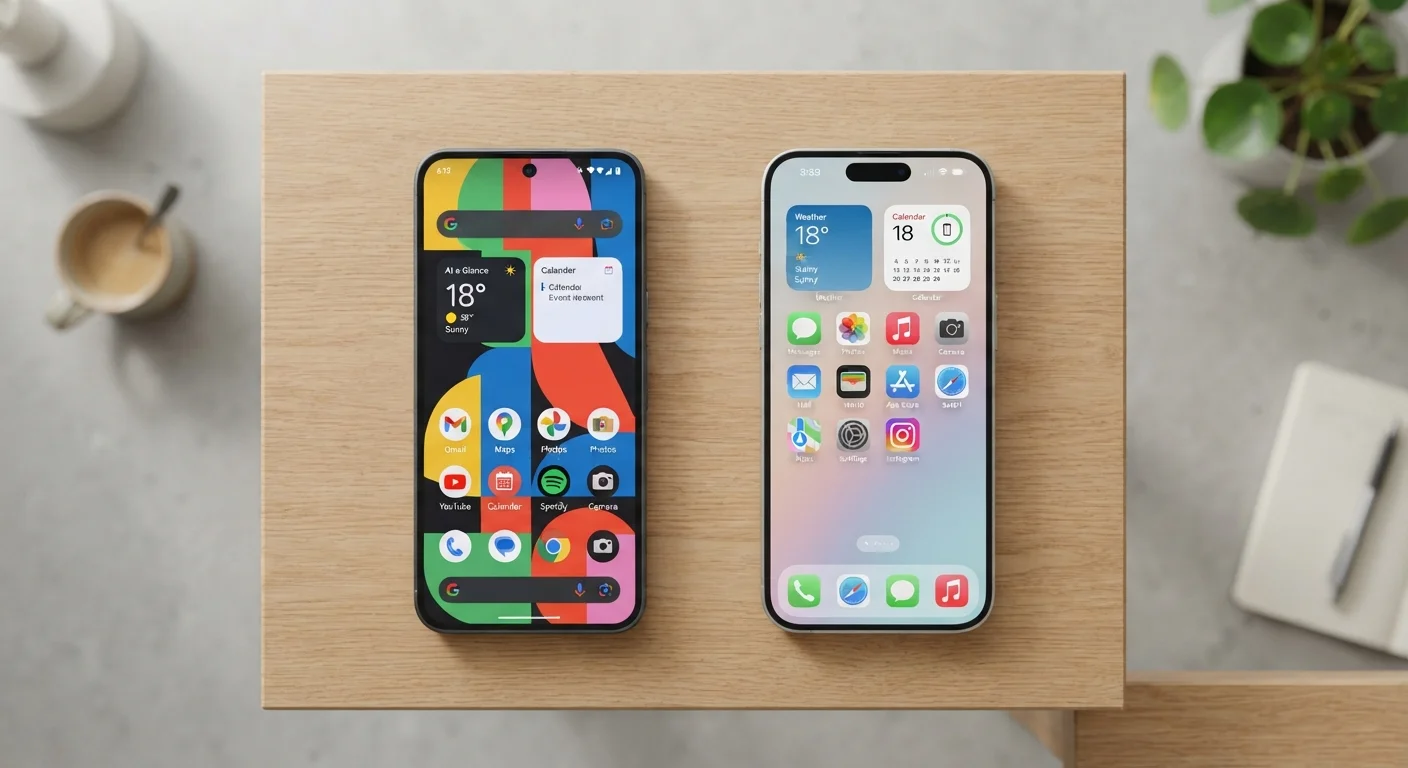
Option A
Android
The flexible, open-ecosystem platform built for customisation.
Best for: Users who want deeper control over how their phone looks, behaves, and integrates with third-party services.
Option B
iOS
The tightly integrated, privacy-forward platform built for consistency.
Best for: Users who want a polished, predictable experience with strong privacy defaults and seamless Apple ecosystem tie-ins.
Why the Platform Choice Actually Matters
Choosing between Android and iOS isn't just a brand preference — it shapes how you interact with your phone every day, what privacy controls you have by default, and how easily you can move your data if you switch again later. Both platforms power billions of devices worldwide and have converged significantly over the years, yet meaningful differences remain.
The decision is also stickier than it appears. App purchases, messaging habits, and device ecosystems create real switching friction. Understanding what each platform actually offers — beyond marketing claims — helps you make a choice you won't regret two months in. For a closer look at how privacy settings work on either device, see what default smartphone settings share about you.
| Criterion | Android | iOS |
|---|---|---|
| Home screen customisation | Highly flexible, replaceable launchers | Structured, expanding but limited |
| Default app flexibility | Full control over most defaults | Limited, improving with each release |
| Privacy defaults out of the box | Moderate; manual tuning needed | Strong; restrictive by default |
| App store review process | Less restrictive, faster approvals | Stricter review, slower approvals |
| Hardware price range | Budget to flagship, wide variety | Mid-range to premium only |
| Ecosystem integration | Strong with Google, Windows-friendly | Exceptional within Apple ecosystem |
| Software update longevity | Varies by manufacturer | Consistent, long-term Apple support |
| File system access | Open, direct file management | Sandboxed, app-managed files |
Customisation and Control: Where Android Leads
Android's defining advantage is openness. You can set a third-party app as your default browser, email client, or even phone dialer. Home screen layouts can be rearranged freely — or replaced entirely with alternative launchers that change the look and feel of the whole interface. Widgets can be sized and stacked in ways iOS only partially supports.
iOS has expanded customisation meaningfully in recent years, adding widgets, a customisable lock screen, and the ability to change some default apps. But it still operates within tighter guardrails. Apps on iOS cannot run as freely in the background or interact with other apps and system functions the way Android apps can. Whether that's a limitation or a sensible boundary depends on what you want your phone to do. For practical tips on getting more out of either platform's layout tools, organising your apps effectively makes a useful companion read.
72%
US smartphone market share held by iOS
StatCounter data indicates iOS consistently holds a majority share in the United States, unlike global markets where Android leads.
3.3M+
Apps available on the Apple App Store
Both major app stores offer millions of titles, with the vast majority of popular apps available on both platforms simultaneously.
~7 years
Typical iOS software support window
Apple supports iPhones with major OS updates for approximately six to seven years, a key consideration for long-term device value.
Privacy and Security: A More Nuanced Picture
iOS has a well-earned reputation for strong privacy defaults. Apple's App Tracking Transparency framework requires apps to ask permission before tracking you across other apps and websites — and a significant proportion of users decline. Apple also conducts more rigorous app review before apps reach the App Store.
Android has closed the gap considerably. Google Play's data safety section requires developers to disclose what data they collect, and Android's permission model now closely mirrors iOS in asking for location, microphone, and camera access only when needed. The meaningful difference is in defaults: iOS tends to restrict more by default, while Android requires more manual attention to reach the same level of lockdown. For a full breakdown of what each permission actually grants, app permissions explained in plain English is worth reviewing regardless of which platform you use. Both platforms sit under the broader umbrella of online safety practices that apply to all smartphone users.
Neither Platform Guarantees Total Privacy
Both Android and iOS collect usage and diagnostic data by default, and both allow apps to gather significant data if permissions are granted. Stronger defaults on iOS reduce exposure, but active privacy management matters on either platform. Reviewing which apps have access to your location, microphone, and contacts is a worthwhile habit regardless of which phone you use.
Apps, Ecosystem, and the Real Cost of Switching
The gap between Android and iOS app libraries has narrowed to near parity for most everyday users. Major apps — social media, streaming, banking, productivity — are available on both. Exceptions exist: some productivity and creative tools launch on iOS first, while certain niche or regional apps appear on Android first or exclusively.
The bigger consideration is ecosystem lock-in. iMessage, FaceTime, AirDrop, and iCloud deeply integrate iOS with other Apple hardware. If your household already runs on Macs and iPads, an iPhone slots in with minimal friction. If you're primarily a Windows or Google Workspace user, Android typically integrates more smoothly. App purchases are also non-transferable between platforms — paid apps, in-app purchases, and subscriptions tied to one store don't carry over. If you're evaluating free versus paid app tiers, factor in that any paid apps you own are tied to your current platform. And don't overlook that some commonly held beliefs about how smartphones behave — like what drains your battery or how updates affect performance — are explored in smartphone myths worth reconsidering.
The content on this site is for informational purposes only and is not a substitute for professional advice. Always consult a qualified professional for guidance specific to your situation.