

Our Verdict
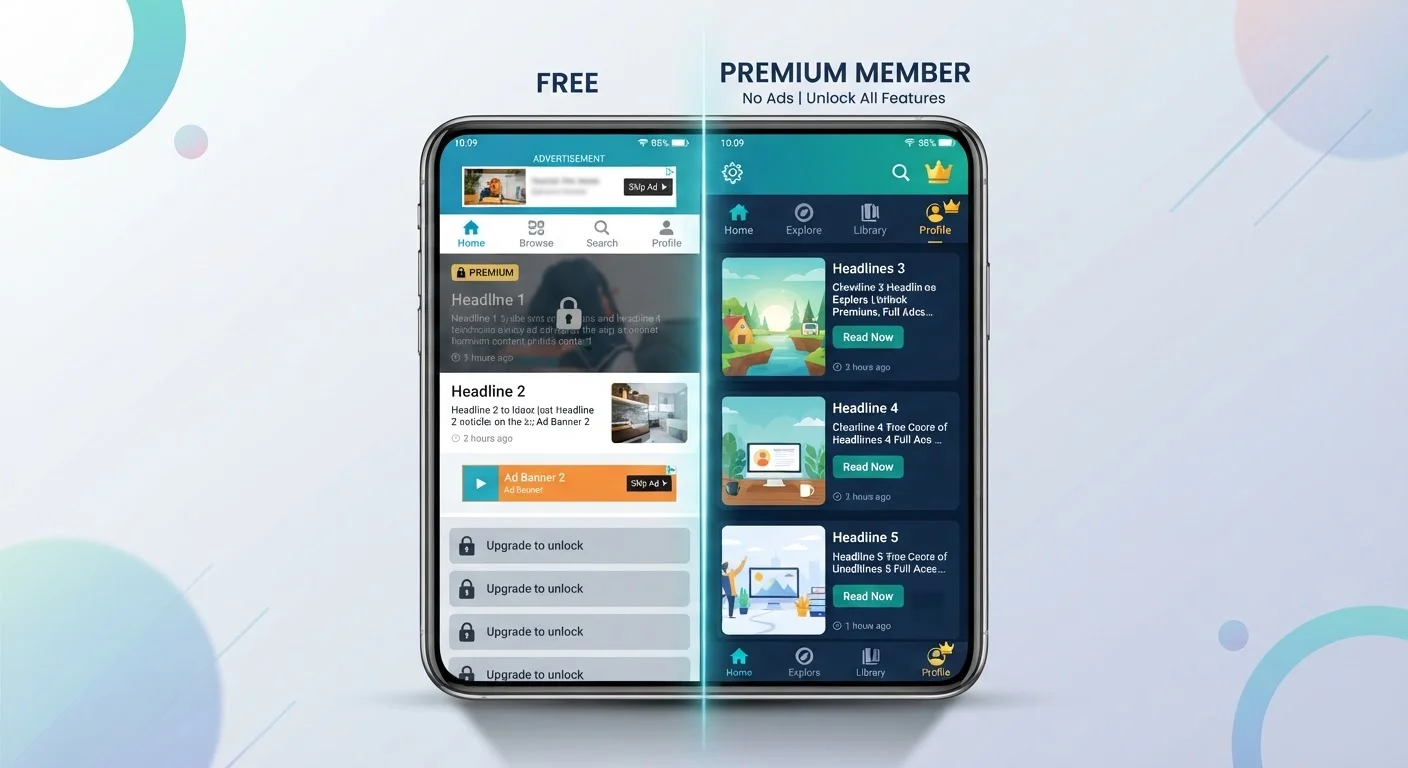
Free apps are a practical starting point for casual use, but the trade-offs — ads, restricted features, and sometimes broader data collection — add up for heavy users. Paid tiers genuinely earn their cost when they remove friction, protect your attention, and deliver tools you'd actually use. The key is to evaluate each app on its own merits rather than assuming paid always means better.
Upgrading to a paid tier makes the most sense for users who rely on an app daily, find the free limitations disruptive, or have privacy concerns about ad-supported data practices.
How Free Apps Actually Make Money
When an app is free to download, the development costs have to be covered somehow. The three most common funding models are advertising, data monetization, and freemium upsells — and most free apps use some combination of all three.
Advertising is the most visible model. Banner ads, interstitials, and rewarded video ads generate revenue each time they're shown or clicked. The trade-off for users is straightforward: your attention is the product. Ads interrupt workflows, slow load times, and can make an otherwise capable app feel cluttered.
Data collection is less visible but often more significant. Many free apps collect behavioral data — what you tap, when you use the app, how long you spend on each screen — and share or sell that with advertisers or data brokers. This practice isn't exclusive to free tiers, but it's more common and more extensive in ad-supported versions. For a deeper look at what's being gathered, see our guide on what personal information apps typically collect.
Freemium upsells are deliberate feature gates designed to push you toward a paid plan. The free tier works just well enough to hook you, then removes functionality at the exact moment you need it most.
Paying Doesn't Always Mean Less Data Collection
A common assumption is that paying for an app automatically means your data stays private. That's not always true. Some developers collect behavioral and usage data regardless of subscription status, using it for product analytics or third-party partnerships. The only reliable way to know is to read the app's privacy policy — specifically the sections on data sharing and third-party advertising. Both iOS and Android require apps to declare their data practices in their store listings, which is a quick starting point.
What You Typically Gain With a Paid Tier
Upgrading usually delivers a cleaner, more capable experience — but the specific gains vary widely by app category.
No upfront cost — try before committing
Free tiers let you evaluate whether an app genuinely fits your workflow before spending money. This is especially valuable for niche apps where your use case may be limited.
Ad-free, distraction-free experience
Removing ads isn't cosmetic — it meaningfully reduces interruptions for apps used in focused work, creative tasks, or sensitive contexts like health tracking.
Full feature access unlocked
Paid plans typically remove artificial feature caps, enabling sync across devices, file exports, unlimited entries, or advanced settings that make the app genuinely more useful.
Potentially stronger privacy practices
Some apps reduce or eliminate behavioral data collection for paying users, since advertising revenue is no longer needed to fund the service. Always verify this in the privacy policy.
Priority customer support
Many paid tiers include faster or more direct support channels, which matters when you depend on the app for work or financial tracking.
Productivity apps like note-taking or task managers often unlock sync across devices, offline access, and export options. Creative apps may remove watermarks or resolution caps. Security and privacy tools — VPNs, password managers — often require a paid plan to access the full server network or advanced encryption settings. Budgeting apps are a useful case study: free tiers typically cap the number of accounts you can link, while paid plans connect everything in one place. If you're comparing digital tracking tools, our breakdown of budgeting formats across paper, spreadsheets, and apps covers what each approach actually delivers.
What You're Giving Up — And When It Matters
Sticking with the free version isn't always the wrong call. But it helps to understand the real costs involved.
Ads interrupt use and slow performance
Ad-supported apps load additional content in the background, which can noticeably affect speed and battery life on older or mid-range devices.
Subscription traps and auto-renewal charges
Free trials that auto-convert to paid subscriptions are a persistent problem across app stores. Users who forget to cancel can accumulate charges for apps they rarely use.
Data collection may be broader in free tiers
Ad-supported apps have a financial incentive to collect and share more behavioral data. The extent varies by developer, but free users are more commonly subject to third-party data sharing.
Core features often gated behind payment
Freemium designs deliberately limit free tiers to create upgrade pressure. The features withheld are often the ones that make the app most useful, not minor extras.
Subscription costs accumulate across multiple apps
Individually, app subscriptions may seem modest, but paying for five or six apps simultaneously adds up to a significant recurring monthly expense that's easy to overlook.
The most underappreciated downside is the subscription conversion trap. Many apps offer a free trial of the premium tier, then auto-renew at full price unless you cancel before the deadline. Both Android and iOS app stores now require apps to make cancellation easy, but the responsibility to act still falls on the user. Review your app subscriptions periodically — both operating systems include a dedicated subscription management screen in settings. For a broader look at how the two platforms handle these and other practices differently, see how Android and iOS compare in daily use.
Making the Decision: A Practical Framework
Before upgrading — or before dismissing a paid plan — run through a few honest questions:
- How often do you use this app? Daily users get far more value from a paid tier than occasional ones.
- Is the free tier genuinely limiting your use, or just mildly annoying? Ads you can ignore are different from features you need but can't access.
- What does the privacy policy say about data collection in each tier? Some apps reduce data sharing for paid users; others don't change their practices at all. Understanding what permissions an app requests is a useful first step — our guide to app permissions explains what each access request actually means.
- Is this a one-time purchase or a recurring subscription? A $3 one-time unlock is a different proposition than $8/month indefinitely.
When the free tier covers your actual needs without significant friction, there's no compelling reason to pay. When it actively slows you down or raises privacy concerns you care about, the upgrade is worth evaluating on its merits.
97%
Share of App Store revenue from free apps
According to Apple's App Store data, the overwhelming majority of revenue comes from free apps monetized through in-app purchases and subscriptions rather than upfront purchase prices.
~$240/yr
Average US consumer app subscription spend
Research from subscription analytics firms has estimated that US smartphone users spend roughly $200–$240 annually on app subscriptions, often including plans they've forgotten about.
The content on this site is for informational purposes only and is not a substitute for professional advice. Always consult a qualified professional for guidance specific to your situation.